



Design School S3 · Free workshop · 19 Nov 2026

Inside the loop. How I design with AI.

Three wrong ways to design with AI, what to do instead, and the free skills and tools to practise with.

Start with the slides

Most of it comes from running design and product at Aampe. See the Aampe work

  1. Design School S3 · 19 Nov 2026

    Inside the loop

    How I design with AI

  2. Hi, I'm Madhuri.

    Product designer who builds. 14 years.

    • Head of Design and Product at Aampe, acquired by MoEngage in 2026
    • Co-founded HueGrid and Nocoloco
    • Taught product design to 10,000+ students
    madhurimaram.com/aampe
    Madhuri Maram
    Teams and clients
  3. 100 of you asked these questions.

    • How do I make it not look like AI slop?
    • Production-ready UI from a single prompt?
    • Where should AI stop and my judgment start?
    • How do I not burn out running four agents?
    • I give it references and it still looks generated.
    • How do I give it full context and get the best output?
    • Which parts do I delegate and which do I keep?
    • Tried skills. Not much help.
    • How do we validate when we ship this fast?
    • Do we still need a design system when AI makes pages in seconds?
    • Everything feels so Claude-y. No soul.
    • AI packs the dashboard with everything.
    • How do I keep our system consistent when AI makes the screens?
    • What do recruiters look for now?
    • Should we add noise so it feels human?
  4. Three questions kept coming back.

    14of youA skill will not fix the slop.

    • How do I make it not look like AI slop?
    • I give it references and it still looks generated.
    • Tried skills. Not much help.
    • AI packs the dashboard with everything.

    20of youMore context will not fix it.

    • Production-ready UI from a single prompt?
    • How do I give it full context and get the best output?
    • Do we still need a design system when AI makes pages in seconds?
    • How do I keep our system consistent when AI makes the screens?

    13of youThere is no line to draw.

    • Where should AI stop and my judgment start?
    • Which parts do I delegate and which do I keep?
    • Everything feels so Claude-y. No soul.
    • Should we add noise so it feels human?
  5. Pattern 1 · 14 of you

    A skill will not fix the slop.

    • How do I make it not look like AI slop?
    • I give it references and it still looks generated.
    • Tried skills. Not much help.
    • AI packs the dashboard with everything.
    What people try
    Find the right skill or prompt, then accept what comes back.
    Why it fails
    Slop is a clarity and experience problem.
  6. Pattern 1 · A skill will not fix the slop.

    Do this instead

    1. Say what good looks like first.

      You cannot edit toward a bar you have not set.

    2. Know what to add, what to remove and what to edit.

      Most of it is removing.

    3. Write your own rules down.

      A skill carries your judgment. It does not replace it.
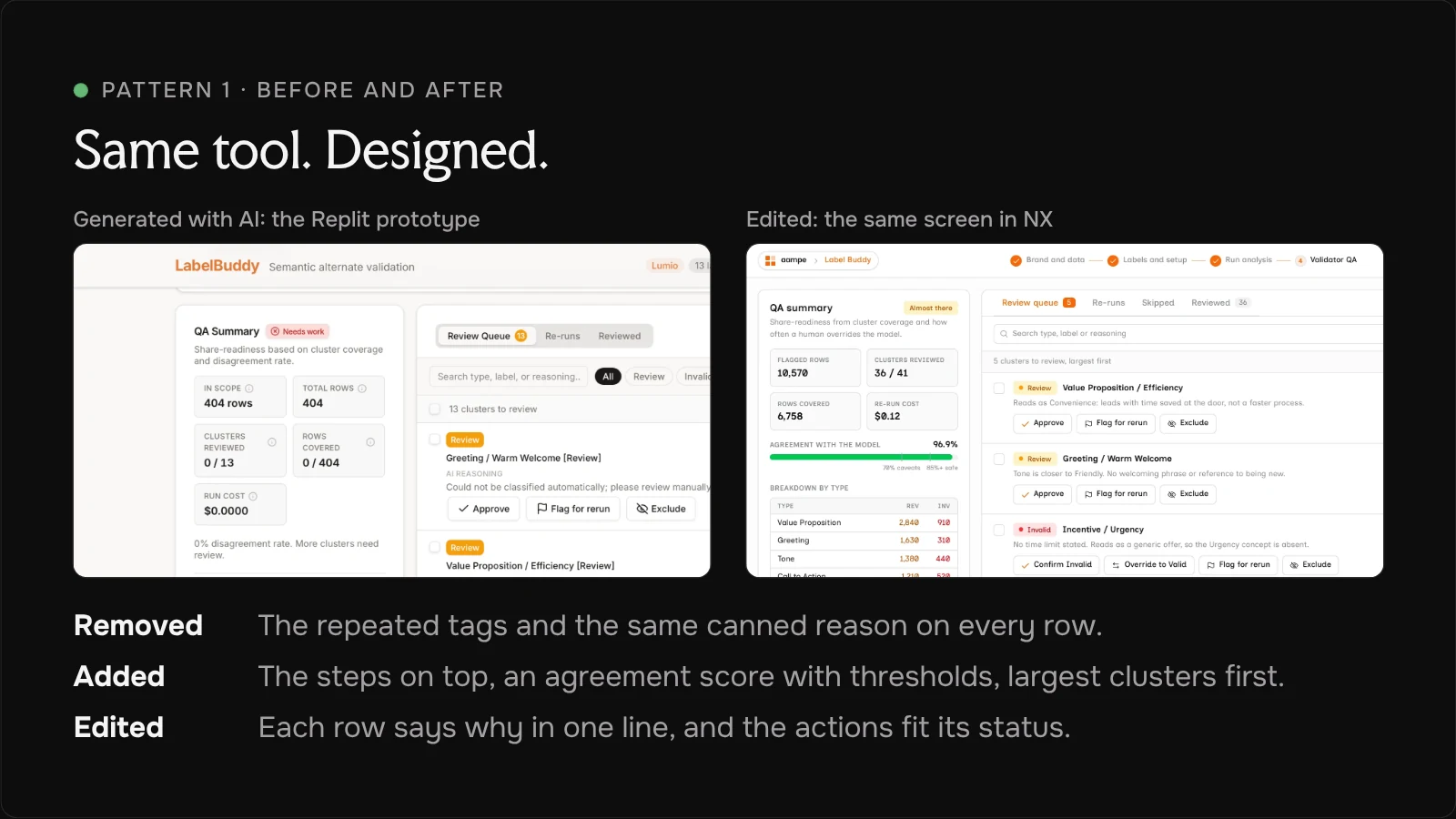
  7. Pattern 1 · Before and after

    Same tool. Designed.

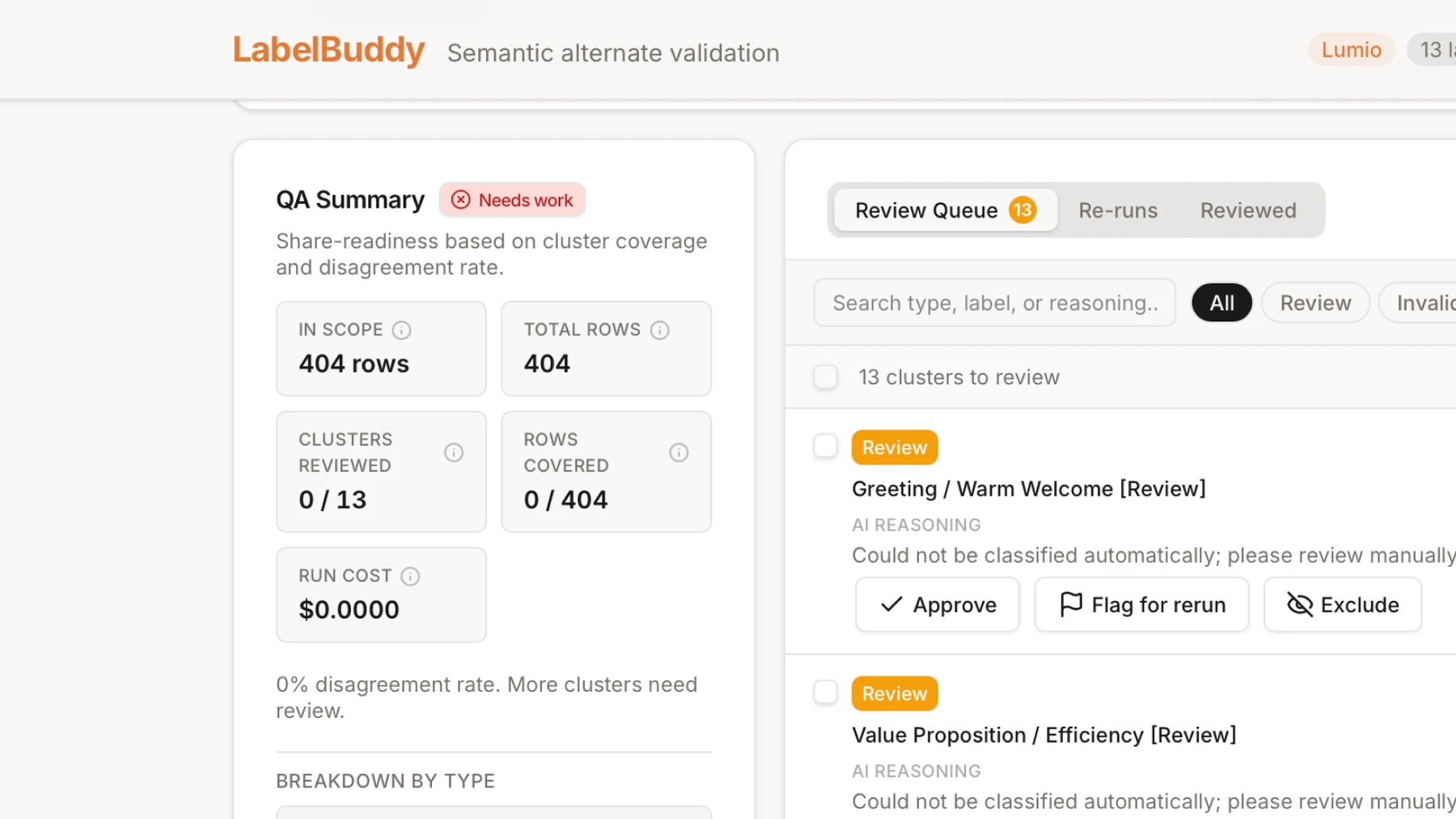
    Generated with AI: the Replit prototype
    Label Buddy's review screen as first generated: every row tagged Review with the same canned reason
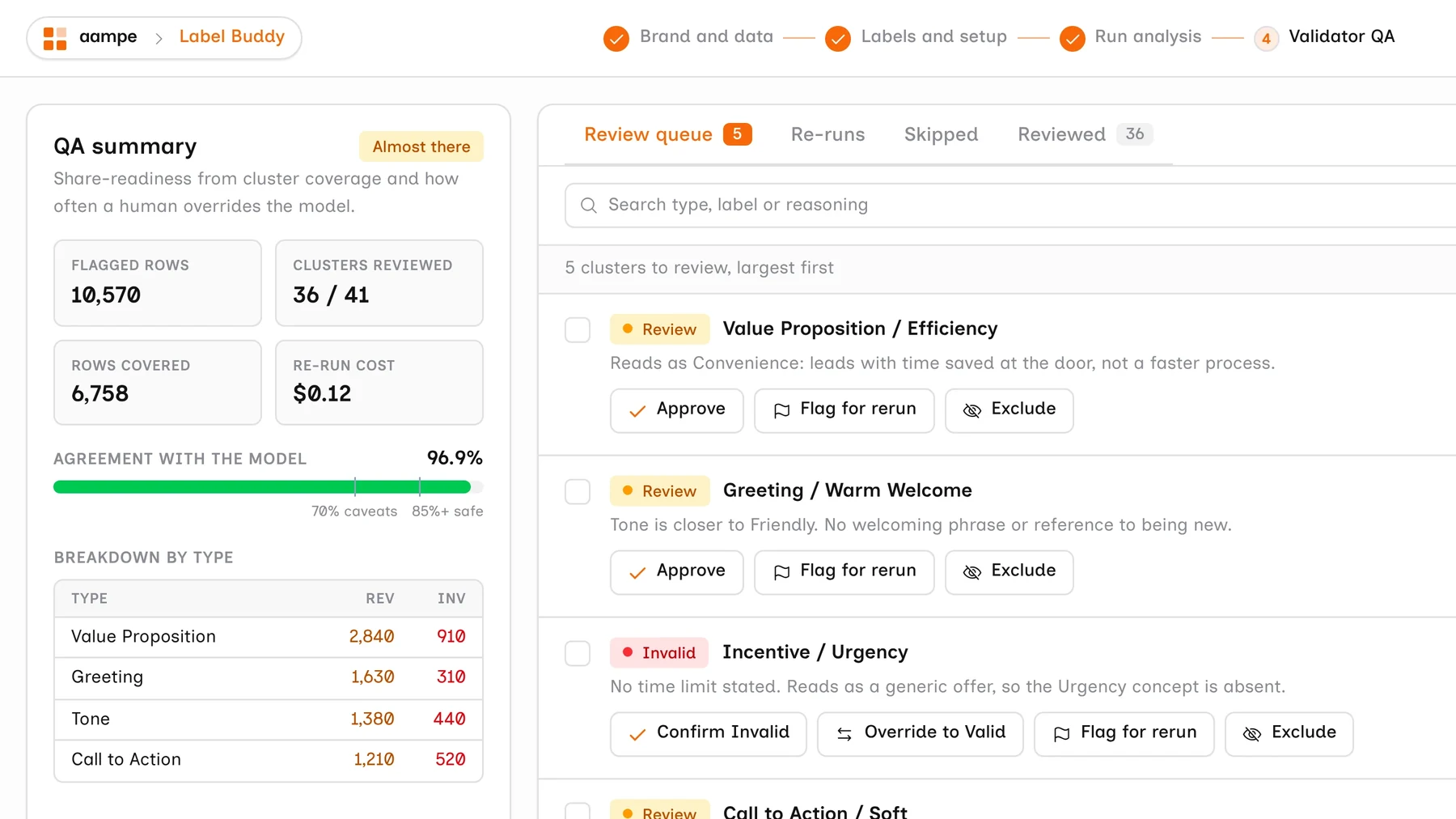
    Edited: the same screen in NX
    The same Label Buddy review screen redesigned: steps across the top, an agreement score, rows with counts and a specific reason each
    Removed
    The repeated tags and the same canned reason on every row.
    Added
    The steps on top, an agreement score with thresholds, largest clusters first.
    Edited
    Each row says why in one line, and the actions fit its status.
  8. Pattern 2 · 20 of you

    More context will not fix it.

    • Production-ready UI from a single prompt?
    • How do I give it full context and get the best output?
    • Do we still need a design system when AI makes pages in seconds?
    • How do I keep our system consistent when AI makes the screens?
    What people try
    A longer prompt, everything attached, no system.
    Why it fails
    Volume is not clarity.
  9. Pattern 2 · More context will not fix it.

    Do this instead

    1. The first time, start somewhere.

      Write a PRD. Be clear on the problem statement before you build.

    2. Then define the system before you prompt.

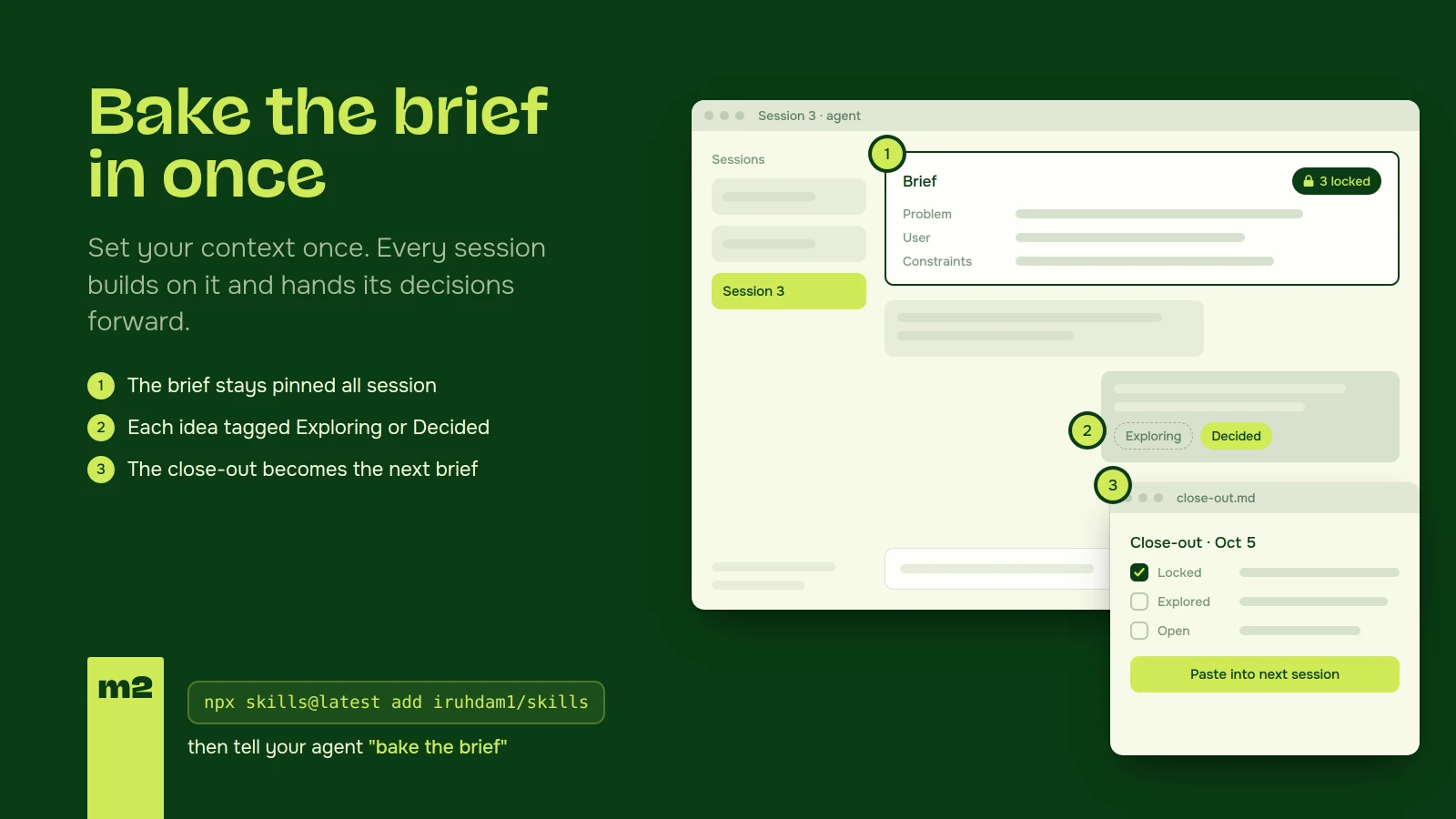
      Set it once, so every prompt after it stays consistent.

    3. Keep the brief where the next session can read it.

      Decisions live in the repo, not in the chat.

    1. Brief Get clear first.
    2. Generate It is a draft.
    3. Decide Keep the decisions.
    4. Edit Add, remove, edit.
  10. Pattern 3 · 13 of you

    There is no line to draw.

    • Where should AI stop and my judgment start?
    • Which parts do I delegate and which do I keep?
    • Everything feels so Claude-y. No soul.
    • Should we add noise so it feels human?
    What people try
    Split the work in two, then add the soul at the end.
    Why it fails
    Judgment is needed at every step. So is your point of view.
  11. Pattern 3 · There is no line to draw.

    Do this instead

    1. Build the system that feeds you.

      Mine reads Slack, calls and tickets and hands me cited inputs. I decide what matters.

    2. Make the agent stop and ask.

      A blocked agent beats a silent assumption.

    3. Give the model the smallest job that needs it.

      In Label Buddy the LLM runs sixth of eight stages.

  12. Your bar decides the work.

    Quality Revisions 1 5 10 15 Low bar High bar Revision 2 Revision 3 Revision 4 Revision 5 Revision 6 Revision 7 Revision 8 Revision 9 Revision 10 Revision 11 Revision 12 Revision 13 Revision 14 Low bar: Ships the first draft High bar: Ships after 15 revisions Ships the first draft Ships after 15 revisions

    A sketch with one real number: Label Buddy took 15 revisions in a week.

  13. Prototyping is the base of design.

    1. Building is a process. Get comfortable in it.
    2. AI does the heavy lifting. Taste and judgment still come from experience.
    3. The more you build, the more good work you publish.
  14. Show and tell.

    One product. One messy pack of notes and data. You pick the problem.

    1. 1Onboarding for a product with too many features
    2. 2A dashboard with too much on it
    3. 3A new feature inside an existing design system

    Vote 1, 2 or 3 in the chat. Watch what I add, remove and edit.

  15. Open questions.

    I do not have a clean answer to these yet.

    • AI gives me five directions. How do I pick one?
    • How do we validate when we ship this fast, on more problems at once?
    • How do I not burn out running four agents?
    • What do recruiters look for now?
    • How do we design for agents, not only people?
    • Are we iterating less with AI in the room?

    Slides, recording and resourcesmadhurimaram.com/workshops/inside-the-loop

1 / 15

Arrow keys move. F presents full screen.

Recording

The recording goes up here after the session.

Prototyping is the base of design.

  1. Building is a process. Get comfortable in it.
  2. AI does the heavy lifting. Taste and judgment still come from experience.
  3. The more you build, the more good work you publish.
  4. Lower your tolerance for bad work. Raise your bar before you speed up.

What to do instead

Three approaches that fail, and what I do in their place.

Pattern 1 · 14 people asked

A skill will not fix the slop.

What people try
Find the right skill or prompt, then accept what comes back.
Why it fails
Slop is a clarity and experience problem.

Do this instead

  1. Say what good looks like first.You cannot edit toward a bar you have not set.
  2. Know what to add, what to remove and what to edit.Most of it is removing.
  3. Write your own rules down.A skill carries your judgment. It does not replace it.
Open the slide

Pattern 2 · 20 people asked

More context will not fix it.

What people try
A longer prompt, everything attached, no system.
Why it fails
Volume is not clarity.

Do this instead

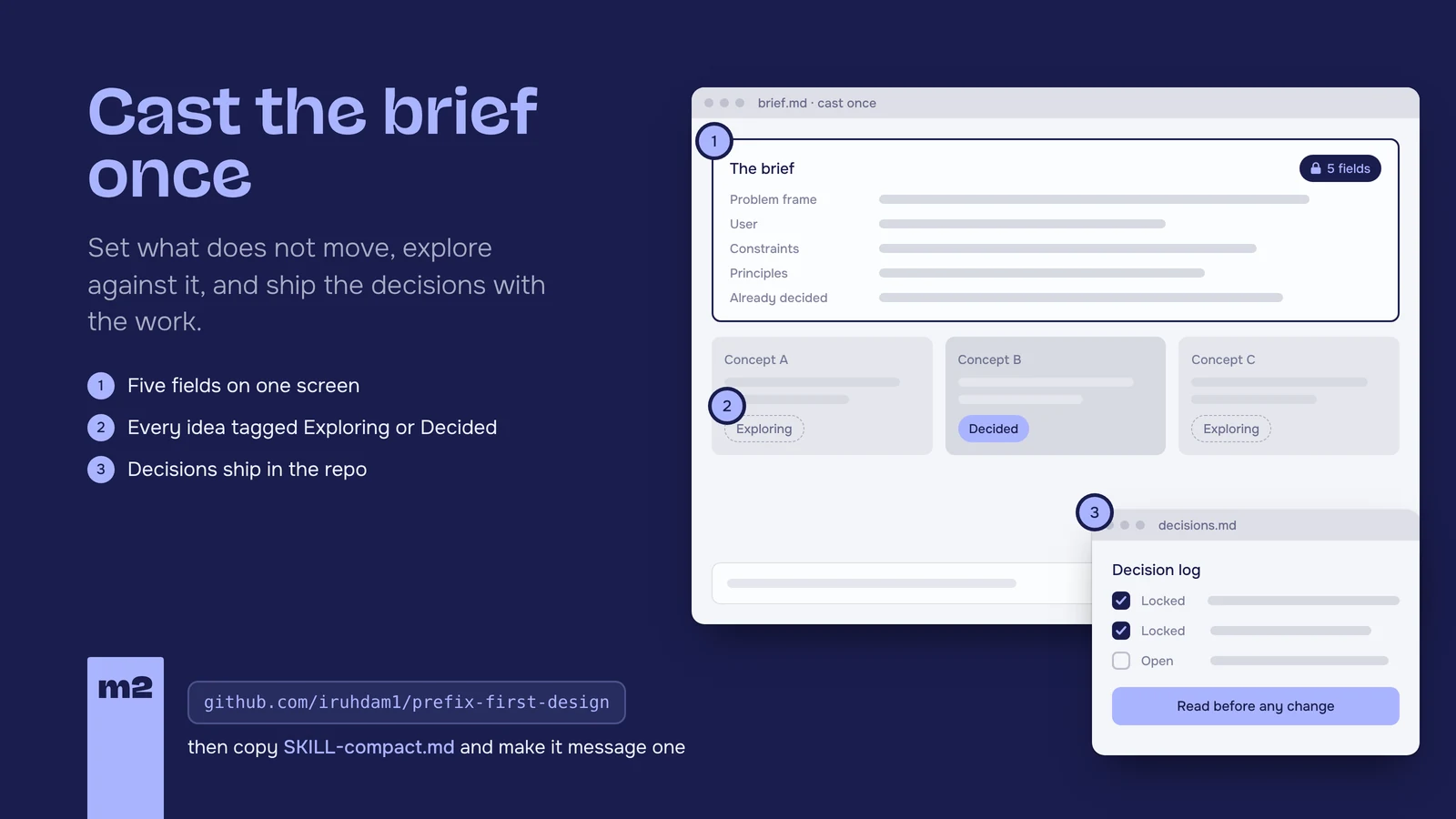
  1. The first time, start somewhere.Write a PRD. Be clear on the problem statement before you build.
  2. Then define the system before you prompt.Set it once, so every prompt after it stays consistent.
  3. Keep the brief where the next session can read it.Decisions live in the repo, not in the chat.
Open the slide

Pattern 3 · 13 people asked

There is no line to draw.

What people try
Split the work in two, then add the soul at the end.
Why it fails
Judgment is needed at every step. So is your point of view.

Do this instead

  1. Build the system that feeds you.Mine reads Slack, calls and tickets and hands me cited inputs. I decide what matters.
  2. Make the agent stop and ask.A blocked agent beats a silent assumption.
  3. Give the model the smallest job that needs it.In Label Buddy the LLM runs sixth of eight stages.
Open the slide

Start building

Free skills and tools to practise with. Pick one small thing and ship it this week.

Free skills

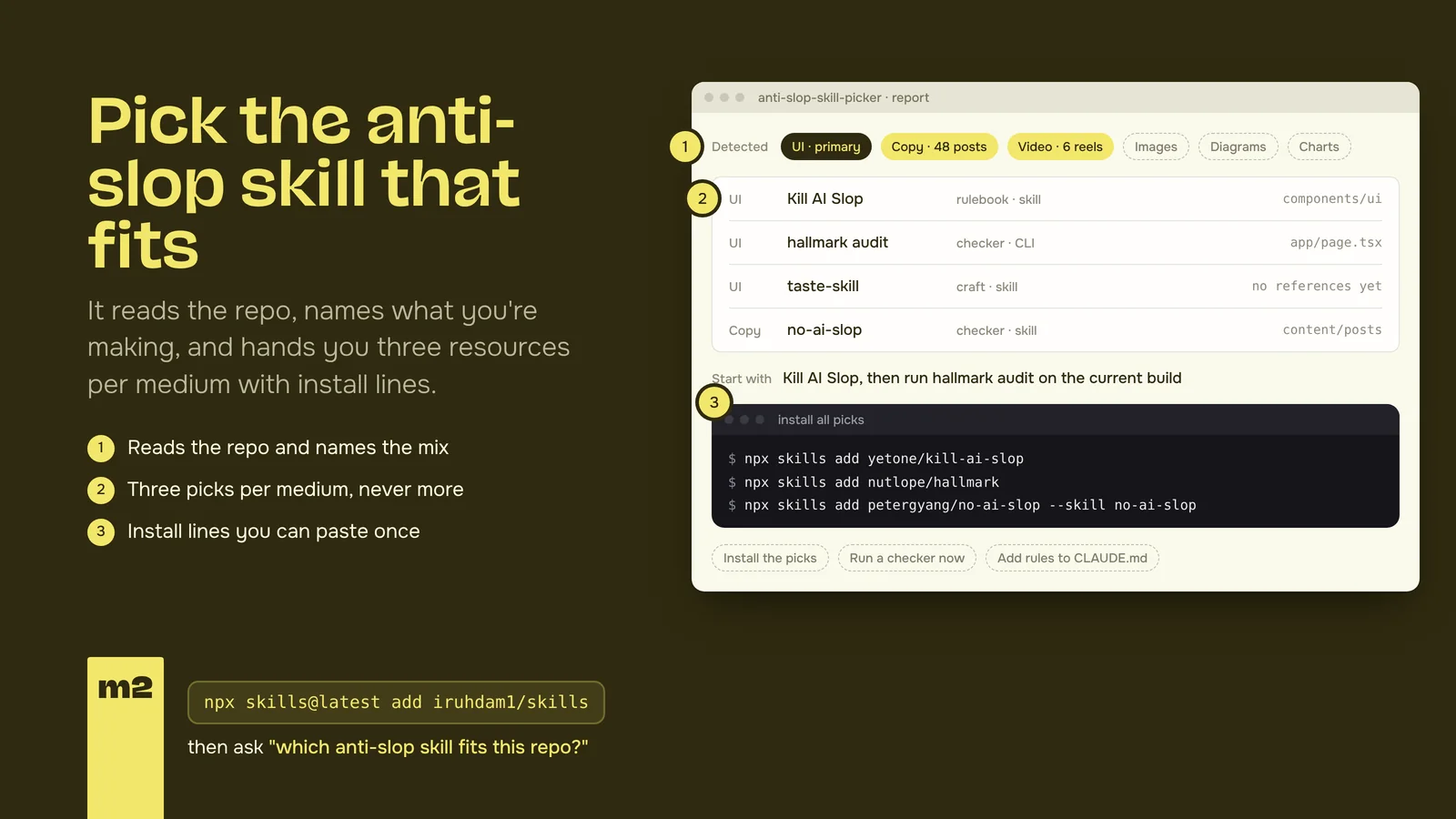
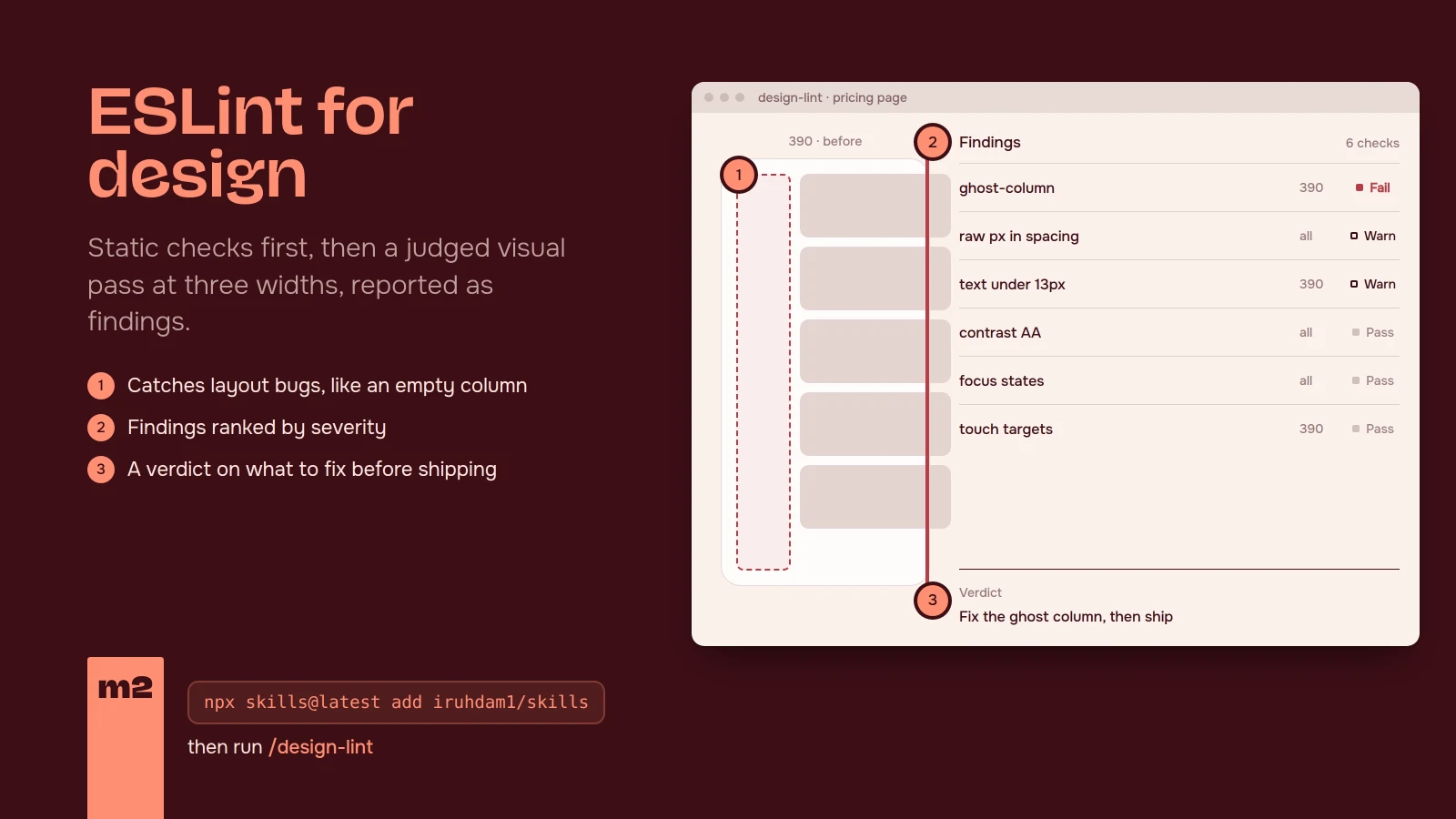
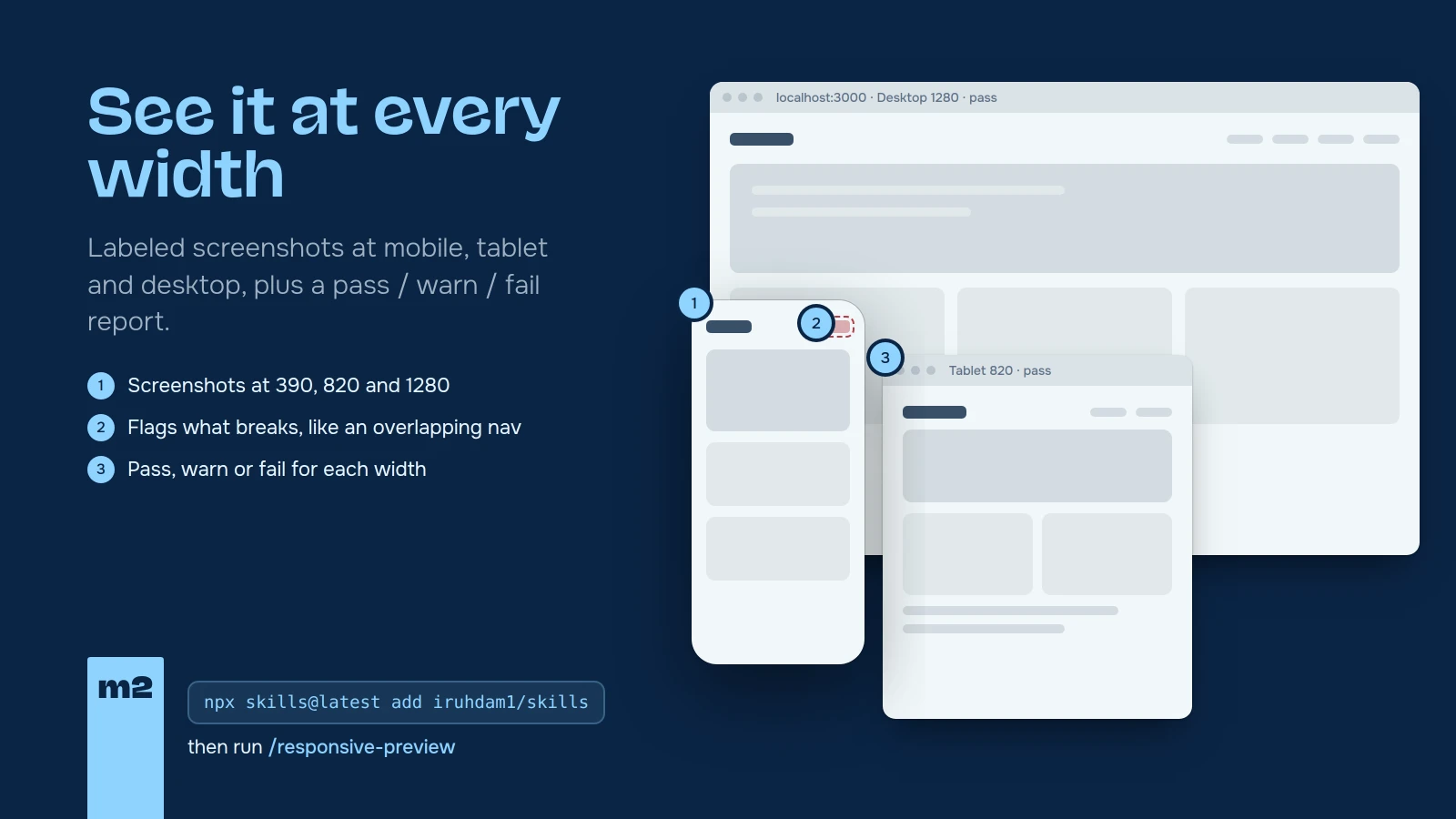
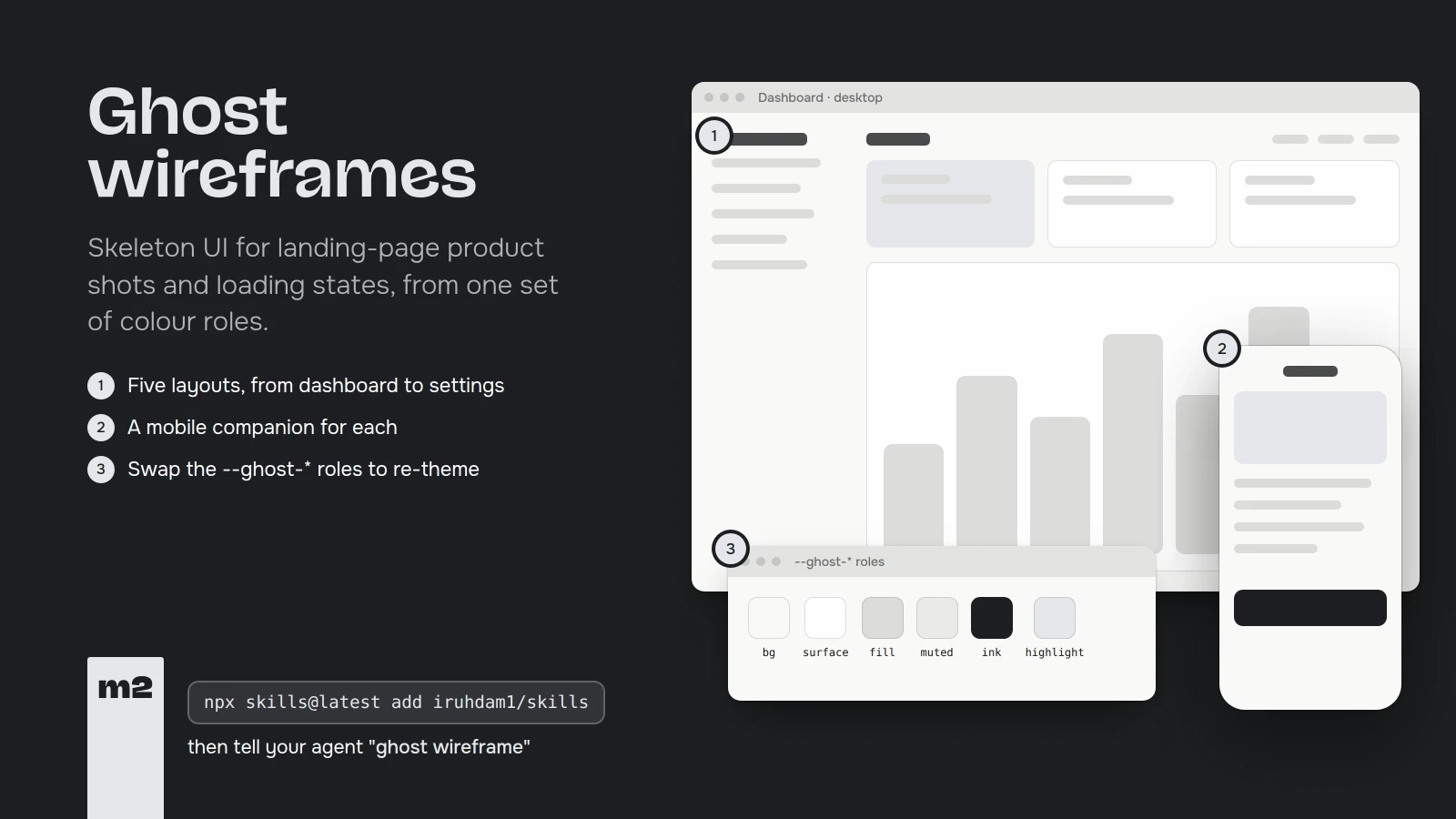
Ten skills that put design judgment into the agent. Install the pack once, then call a skill by name.

npx skills@latest add iruhdam1/skills

Tiny Design Shop

My shop of browser tools for designers. The tools below are free. Small jobs you can finish in one sitting, which is how you get comfortable building.

Taste and judgment

Both come from doing the work and looking hard at it. These show how I do that.

The demo pack

The messy notes and data from the show and tell, so you can run the same exercise.

Open questions

Asked before the session and not settled in it. I will add answers as I work them out.

  • AI gives me five directions. How do I pick one?

  • How do we validate when we ship this fast, on more problems at once?

  • How do I not burn out running four agents?

  • What do recruiters look for now?

  • How do we design for agents, not only people?

  • Are we iterating less with AI in the room?

The work behind this

The Aampe page shows the products these lessons came from.